Android Setup Guide
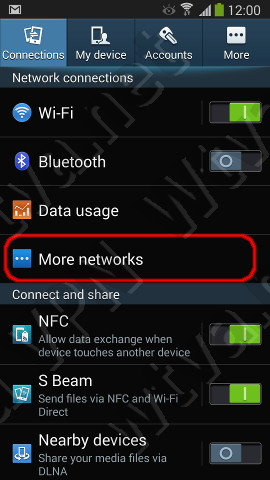
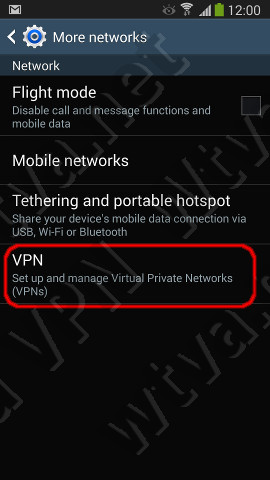
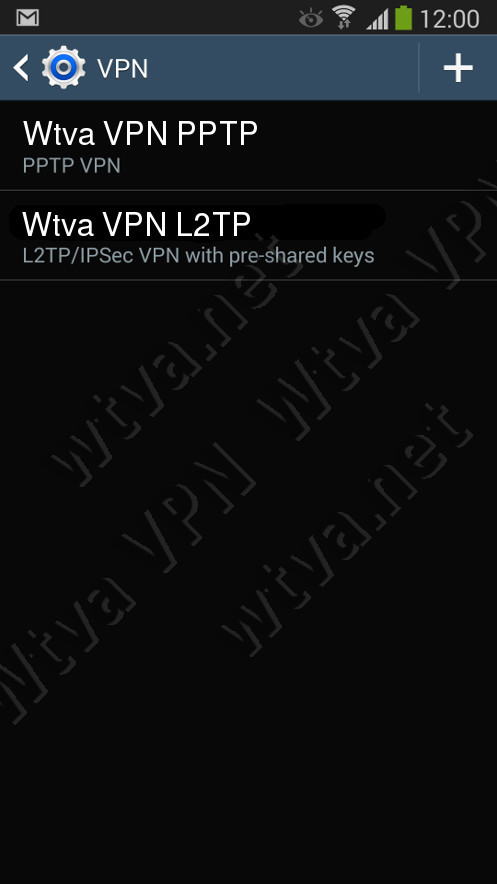
1. Tap on the Applications icon, then Settings - Connections / More networks / VPN
NOTE: The first vpn you setup you will get asked for a credentials password.
The credentials password is unique to the phone and is a secondary authentication that the phone does when
accessing root level items such as new routes on the phone.
This password is not transmitted at anytime, and is purely for the local phone only.
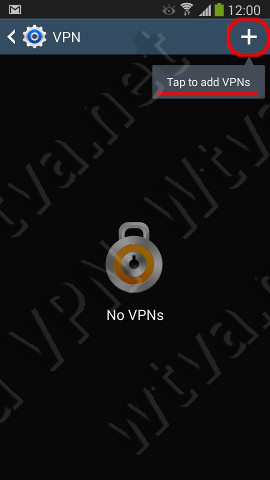
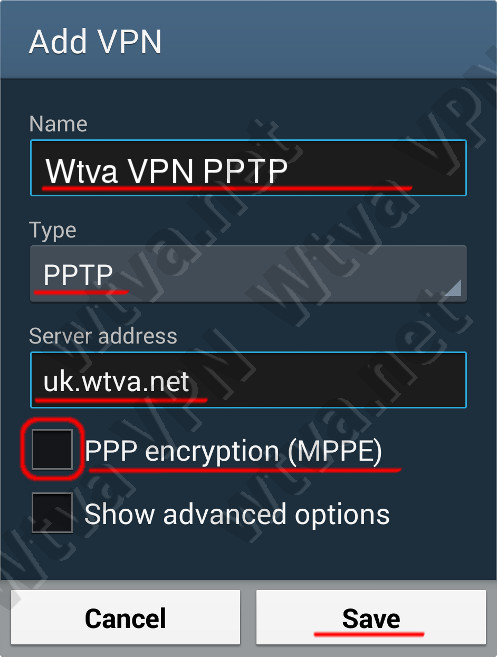
2. Tap on the '+' button and configure two VPN connection as follows:
Tap Save
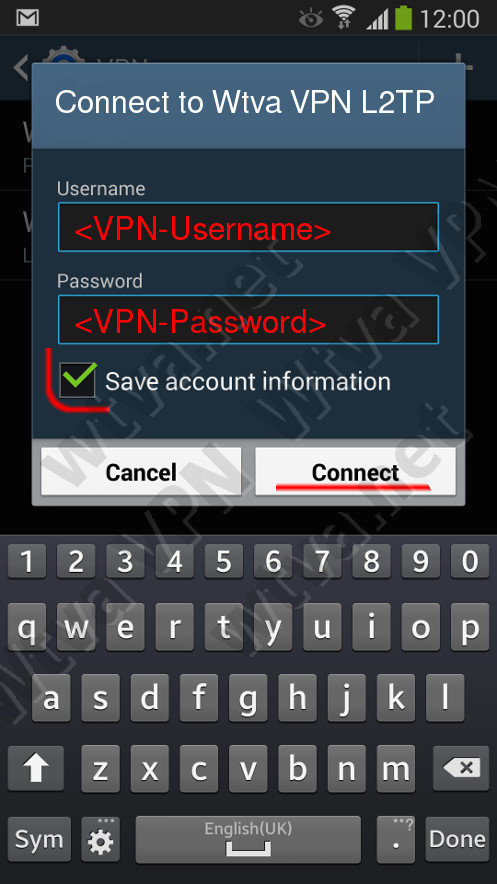
3. Back on VPN screen - tap either connection to Connect the VPN
Enter your Account and PIN, tick the "Save account information" checkbox.
If having troubles with VPN connection:
Try the alternative VPN - Your device is configured with two different types of VPN. Go to Settings-Connections / More networks / VPN and try the alternative VPN connection. If PPTP is not connecting try L2TP or vice versa.
Problems connecting? – Try the alternative connection method below:
 United States